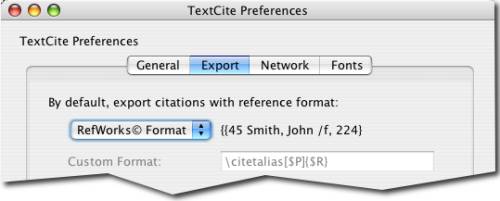
Adjust the exported reference format
Depending on the bibliographic management software that you use (or if you don't any any at all), you can change the way in which TextCite formats the references attached to the citations that it exports. The formats that TextCite currently supports are the following:
Citation ©
RefWorks ©
BibTeX
Chicago
MLA
Custom
EndNote © (supported in a future version)
The export format for references can be chosen in the Preferences dialog, under the Export tab:
Adjust the exported reference format
Upon choosing a reference format, you will see a preview at the right. If you choose the "custom" reference style, you will have the option of creating the "template" for the reference format you want to be produced.
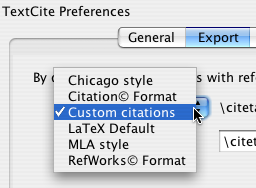
Available reference formats
If none of the default formats meets your needs, you can choose to use a custom reference format. In that case, you will need to specify the reference template, so that TextCite can produce its references according to your needs.
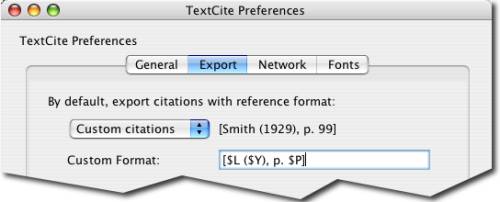
A custom "template" for references
The template is built by typing any literal text that you want to be included in every reference, along with any of a number of template variables or codes that TextCite will replace, at the time of exporting, with the contents of the corresponding fields of the citation record. These codes are as follows:
$A: Insert the complete name of the author
$B: Insert the name of the book
$R: Insert the bibliographic code
$Y: Insert the year of publication
$P: Insert the page number
$L: Insert the author's last name
By inserting these codes into your template, you can create references that meet the needs of your particular situation. For instance, if your publisher requires that all citations be in APA format, you can configure TextCite to export all its texts with references in that format, etc.