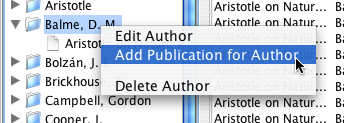
Add a publication directly to an author.
There are two ways to add a new publication from the main screen. The easiest is to select the author of the publication in the list of authors and publications, right click, and choose "Add a Publication to Author":
Add a publication directly to an author.
The Add Publication dialog will appear, with the name of the author already selected:
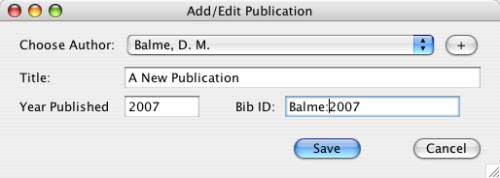
Dialog for adding a publication
Here you will need to fill out the fields for Title, Publication year, and Bibliographic Code. For more information about these codes, see the entry on the use of bibliographic codes.
The other way to create a publication is to choose the menu option "File | New | New Publication".
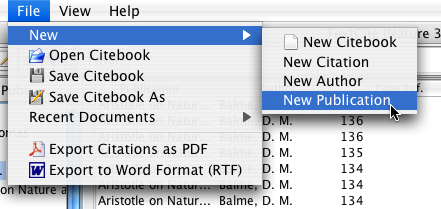
Adding a publication from the main menu
If you choose this option, you will have to choose the author of the publication from the drop-down list, or else create a new author.
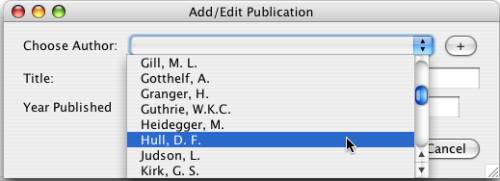
Selecting the author for a publication