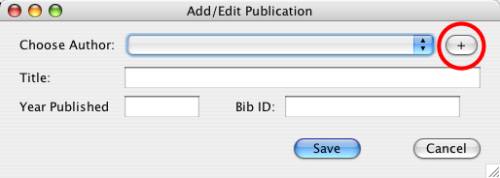
Add an author while creating a publication
Instead of creating an author record from the main screen, you can also create it during the process of creating a new publication. From the "Create Publication" dialog box, instead of selecting an author from the list, click on the button with the plus sign (+):
Add an author while creating a publication
You will see a dialog box that will allow you to type the name of the new author (again, last name followed by first and middle names, or by initials, is best).
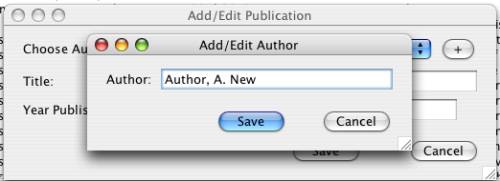
Add a new author
Upon clicking "Save", the new author will be assigned to the new publication automatically.
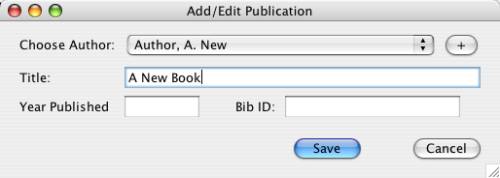
The new author added to the new publication