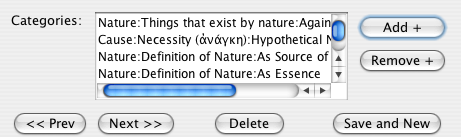
The list of categories associated with a citation
When you edit the "virtual notecard" for a citation, it is important to assign all of the categories that you think necessary so that the citation can later be easily found. Also, good categorization will enable you to generate groups of citations that correspond to a particular topic of interest in your research.
The dialog for editing or creating a new citation record has a list, located at the bottom left of the dialog, which allows you to associate as many categories as you think necessary (as well as to delete any which are no longer relevant):
The list of categories associated with a citation
When you click on "Add +", you will be presented with a window where you can search for the category that you want to assign; once you have found it, you can double-click on the category to assign it, or right-click and select "Select". The category will be added to the citation's list:
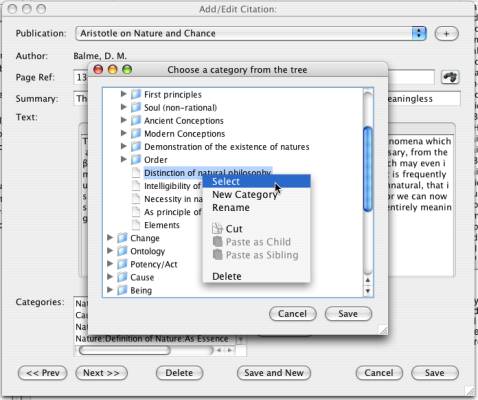
Add a category to a citation record
You can also create new categories from the window that you use to assign them. Instead of choosing the option "Select" from the context menu, choose the "New Category" option. Once you have added the new category, you can select it normally to have it added to the citation record.
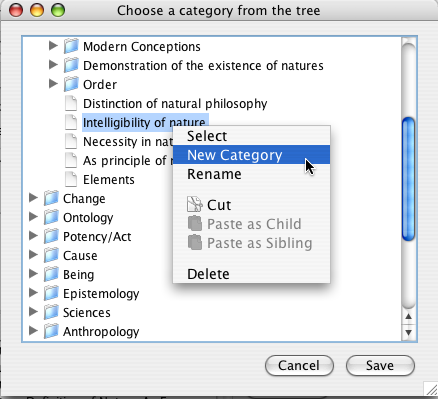
Create a new category from the Category Browser