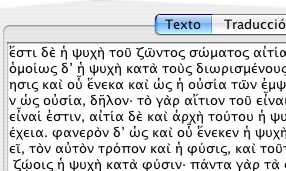
A citation with text in Greek
TextCite includes built-in support for the entry and display of non-Latin characters, thanks to its being built with Java. TextCite saves its files in Unicode format (UTF-8), and therefore has the ability to handle a wide variety of alphabets and symbols (although, for the moment, it does not have the ability to display right-to-left languages like Hebrew or Hindi).
A citation with text in Greek
The most important limitation is the configuration of your keyboard and your system fonts. Your operating system must be configured to permit the entry of non-Latin characters via a standard European keyboard. Consult the corresponding information for your operating system in order to configure your keyboard correctly for entering non-Latin characters.
A possible difficulty may occur with the display of non-Latin characters, if the font that you are using does not contain all the necessary characters, or they are poorly configured, as in the image below.

A font that is unable to properly display Unicode
In these cases, it is possible to change the font that TextCite uses to display text. This configuration is available via the Preferences panel, under the "Fonts" tab:
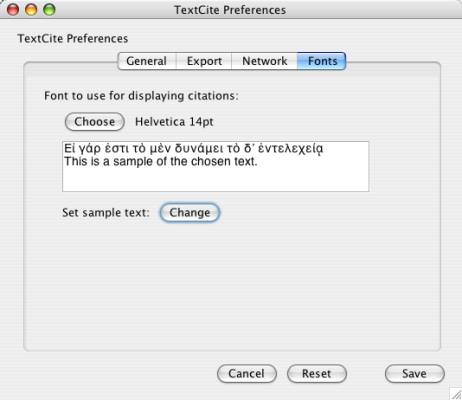
Font preferences
If your system does not have the fonts necessary for correctly displaying the characters you want to enter, you may need to install one or more additional fonts; once you have done this, the fonts will be available the next time you restart TextCite. For information on how to install new fonts, consult your operating system documentation.