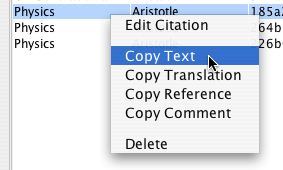
Copy citation text to the clipboard
For individual citations, TextCite offers you various options. The most common function is exporting the text of a citation, along with its bibliographic reference. This function is accessed by right-clicking on the citation in the table, and selecting "Copy text". The text will be copied to the system clipboard, so you can paste it into the text document you currently have open.
Copy citation text to the clipboard
Note that you can also copy just the bibliographic reference, without the text itself, in order to create brief references, e.g. "Cf. Smith (2005), 175".
The text will be copied along with its bibliographic reference, so that it can be easily pasted into whichever word processor or other publishing environment you wish to use, as seen below.
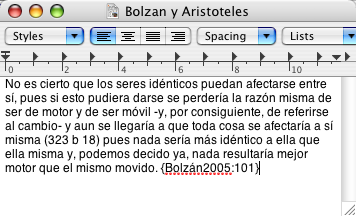
A text pasted, along with its reference
The format of the reference can be adjusted in the preferences panel of the program, in the tab "Export":
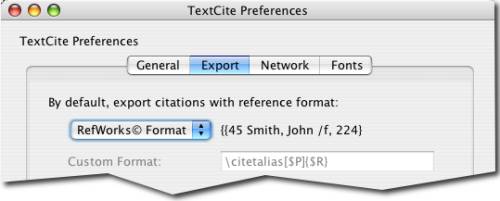
Export preferences
There are a variety of reference types that TextCite can generate. See the entry on options for bibliographic references for more information.