Citation preview
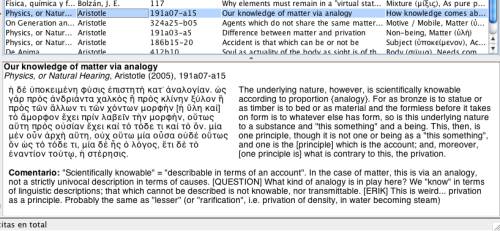
Upon selecting a citation in the table on the right, a preview of the selected citation will appear in the window at bottom right.
Citation preview
This preview window contains the summary of the citation, author and publication information, and the text of the citation. If there is a translation or commentary associated with the citation, these will also appear (on the right and beneath, respectively).
Note that the text of the citation can contain non-Latin or non-European characters. If you use many citations with these characters, you may wish to adjust the font that is used to display citations. For more information, see Use of Unicode and non-Latin characters.